Reports without a report designer
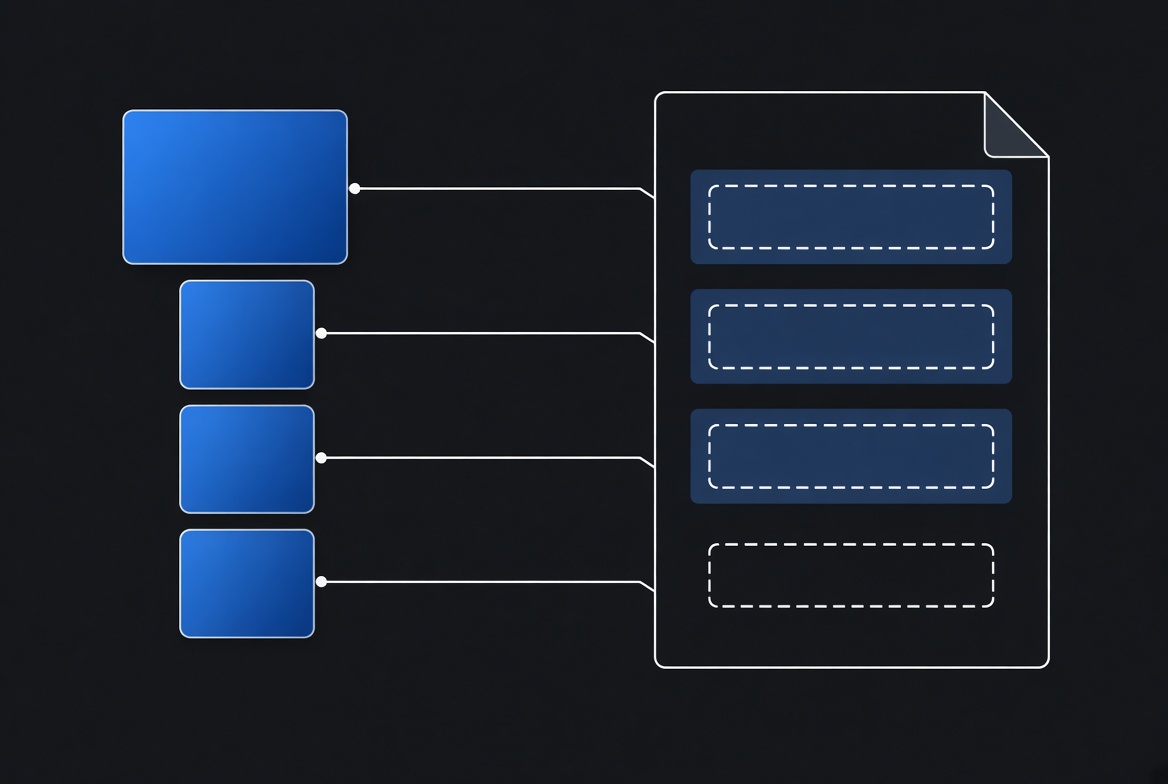
Every business application eventually has to produce a document that leaves the building. An invoice, a quote, a packing list, a delivery note, a certificate. Something a customer, an auditor or a border official will read, and which has to look exactly right — logo in the right place, totals aligned, the legal footer present and correct.
The usual answer is a reporting tool: its own designer, its own file format, its own deployment step, its own learning curve. Which produces a peculiar division of labour. The person who cares what the document looks like — whoever owns the brand, or the office manager who knows the invoice has to carry a particular sentence about payment terms — cannot open the file. The developer who can open it has no opinion about kerning and no authority over the wording. So every change to a footer becomes a ticket, and the layout slowly ossifies because nobody enjoys touching it.
A document template should be a document, editable by the person who cares what it looks like.
The template is a Word file
TSQL.APP renders documents with Carbone, which takes an ordinary .docx and a JSON
payload and fills one with the other. The placeholders are just text in the document:
textINVOICE {d.invoice.number} {d.invoice.date}
{d.customer.name}
{d.customer.address}
{d.lines[i].description} {d.lines[i].qty} {d.lines[i].total}
{d.lines[i+1].description} {d.lines[i+1].qty} {d.lines[i+1].total}
That is the whole template language. There is no code in the file, no embedded scripting, no designer application. It is a Word document, and anyone who can write a letter can move the logo, change the wording, or add a column.
The one piece of genuine syntax worth explaining is the repeated row. A table that
has to grow with the data is written twice: once with [i] and once with [i+1].
The second row is not a duplicate that someone forgot to delete — it is how the
template says "keep going". It does not appear in the output. Every other line in the
file means exactly what it looks like.
The result comes back as a PDF, or as the document format you started from if that is what the recipient needs. Rendering happens on the server, off the request path, so it can be fired from a button on a record or queued as scheduled work that mails itself.
The obvious objection
None of that is the hard part. Somebody still has to write the query that produces the JSON, in exactly the shape the template expects, and then keep the two in step forever. That is where this kind of integration normally rots: the template gains a column, the query does not, and the document quietly ships with a blank space in it.
The part that surprises people
The application has already described the report.
Think about what a card in TSQL.APP knows. It knows which fields it shows and in what order. It knows their labels. It knows which child collections hang off the record — the order's lines, the shipment's parcels — and which key joins them. It knows which fields are plain columns and which are expressions.
That is not like the shape of a report payload. It is the shape of a report payload: one header object and some arrays hanging off it.
So the report does not need describing a second time. It can be read straight off the card, and it is: one click on any card produces a report definition, with the query written out for you as ordinary T-SQL —
sqlSELECT data = (
SELECT
[order] = JSON_QUERY((
SELECT [OrderID], [OrderDate], [CustomerName], [Reference]
FROM [SalesOrder]
WHERE [OrderID] = @context_id
FOR JSON PATH, WITHOUT_ARRAY_WRAPPER
)),
lines = JSON_QUERY((
SELECT [LineNo], [Description], [Quantity], [LineTotal]
FROM [SalesOrderLine]
WHERE [OrderID] = @context_id
FOR JSON PATH
))
FOR JSON PATH, WITHOUT_ARRAY_WRAPPER
)
— and a first-draft .docx in which every placeholder is already present and already
matches that query, header fields in a table at the top, one loop table per child
collection.
Two things about that are worth pausing on.
The first is that the generated SQL is stored, and it is yours. It is a normal editable column on the report definition, not something regenerated behind your back. If the generator guessed wrong — and on a complicated card it will — you edit the query, not the generator. What was automated is the tedious part, and the escape hatch is the same language you were already writing in.
The second is stranger. The card does not have to be a screen anybody uses. You can define one whose only job is to describe a shape: these fields, these child arrays, this key. Never put it in a menu, never show it to a user. The same metadata system that draws screens turns out to be a perfectly good way to declare a data model, and a report is just another consumer of it.
That is the quiet consequence of keeping the application's description inside the database as data rather than scattering it through code. Something you built to draw a list becomes something that can also specify a document, and you get the second use for free because the first one was declarative.
What it actually changes
The division of labour goes back to where it belongs. Design happens in Word, by the person who cares. Data happens in SQL, by the person who knows the schema. Re-upload a template and the next render uses it — there is nothing to deploy, because the template is a file attached to a record like any other attachment.
To be straight about the limit: the generated first draft looks generated. It is plumbing — every placeholder in the right place, the tables the right shape, and no taste whatsoever. It exists so that the first render works and you can see real data in a real document within a minute of deciding you need one. Making it look like your company is done afterwards, in Word, which is the only tool that was ever any good at that.
There is documentation and a programming reference online, and you can always book a demo.