A second client, and not one screen to port
Rewriting a front end is one of the projects business software teams dread most. The old framework is out of fashion, or out of support, or simply hard to hire for, and everyone agrees it has to go. Then someone counts the screens. Every order form, every list with its filters, every popup with its validation rules has to be found, understood and rebuilt. The estimate gets measured in quarters, and the old client stays in service for years after its replacement was approved.
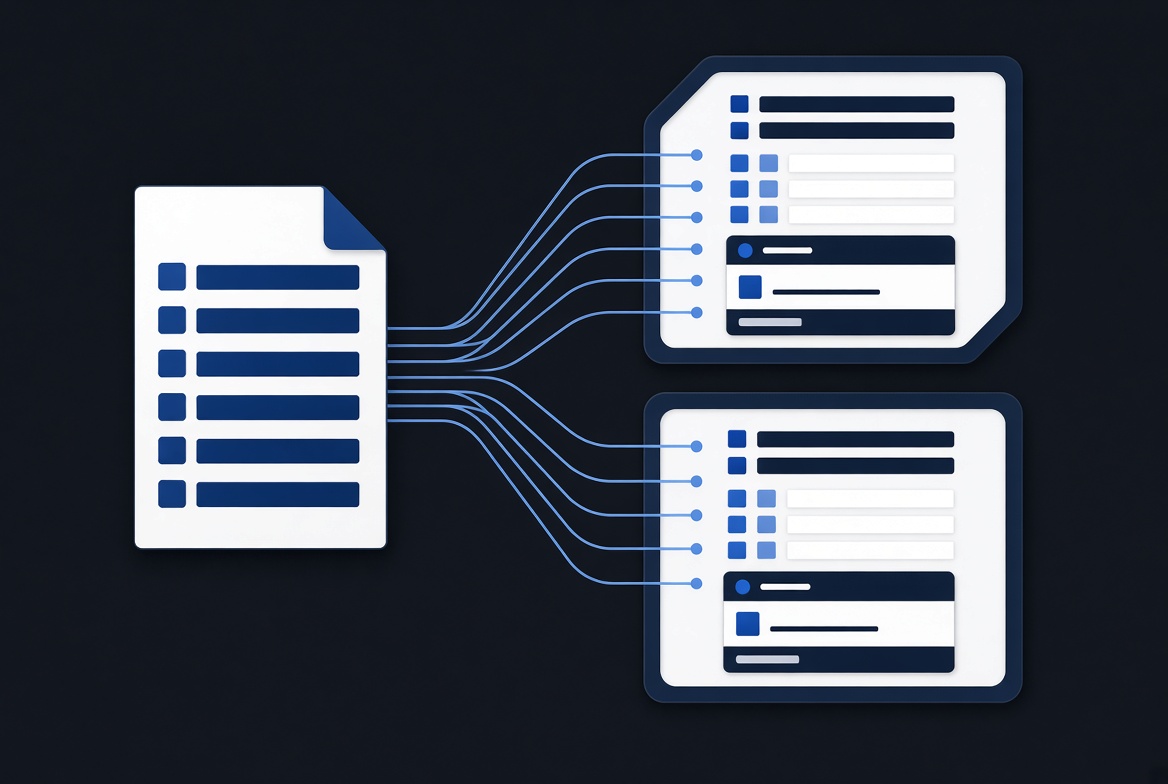
TSQL.APP's own client is written in React. We have now written a second one in Vue 3, starting from an empty folder. It renders every TSQL.APP application there is, and none of them needed changing.
That is not because we were quick. It is because of a design rule: the client contains no application screens. It has only the parts that screens are built from.
What the client actually receives
When you open a screen in TSQL.APP, the browser makes one request and gets one JSON document back. The engine, a stored procedure in the application's database, has already decided everything about that screen. Trimmed down, a list of products looks something like this:
json{
"views": [ { "id": 1, "comp": "Actions", "data": "data" },
{ "id": 2, "comp": "Listview", "data": "data" } ],
"data": [ { "id": 1, "name": "Oak shelf", "price": 129.00 },
{ "id": 2, "name": "Pine bench", "price": 89.50 } ],
"def": [ { "name": "name", "disp": "Product", "att": "nvarchar" },
{ "name": "price", "disp": "Price", "att": "money" } ],
"actions": [ ... ],
"settings": [ { "k": "auto_refresh_seconds", "v": "0" } ]
}
views is a manifest. It tells the client which components to draw and in
which order, and which rows belong to each. def describes the columns: their
captions, SQL types, whether they can be edited, whether they open a picklist.
actions holds the buttons. Nothing in the document says "product", in the
sense of anything the client would recognise. It is a list with two columns,
and the client draws a list with two columns.
We call that document a screenplay. The engine writes the script. The client is an actor that performs whatever it is handed. It does not know what a sales order is or what a customer is. It knows how to draw a list, a record form, a modal dialog and a preview pane, and it is told which to draw.
When the user does something, like typing in a field or clicking a button, the client sends back what changed, and the answer is the next screenplay. As the first post on this blog describes, the logic behind that answer lives in T-SQL in the database. It does not live in the browser.
What porting the client meant
So a second client is not a port of applications. It is an implementation of a protocol, and the protocol is small enough to write down: the URL model, the handful of headers a request carries, the shape of the response, the verbs the server can tell the client to perform (navigate, refresh, download, print, open a dialog), and the vocabulary of field types and modal elements.
The work was real. A modal dialog alone has a large vocabulary of inputs, pickers, tables and scanners, and each has to behave exactly the way existing scripts expect. But the work is bounded. Once every component in the vocabulary is implemented, every application built on TSQL.APP works, including ones written years ago by people who never thought about which framework the browser runs. There is no list of customer screens to migrate, because that list does not exist.
"Exactly the way existing scripts expect"
The obvious objection: two clients means two sets of behaviour, and behaviour that drifts is worse than one old client. A script that works in one browser front end and misbehaves in the other is not an improvement.
This is where the architecture pays off a second time, and it is the part we did not fully expect.
Because every screen is a document, a screen can be recorded and replayed.
We captured real screenplays from a running TSQL.APP application: a list, a record form, a form in edit mode, several dialogs. We fed each one into the React client and saved what it drew. Then we fed the same documents into the Vue client and compared the two results element by element, with no server involved. Same rows, same labels, same controls, same buttons, same state.
That turns "does the new client behave like the old one?" from a matter of opinion into a test that passes or fails. It ran on every change. When the Vue client drew something differently, the test said where.
Replay covers rendering. For behaviour, such as what a click sends, in what order and with which headers, we ran both clients against the same live application and compared the requests they made. Where React did something slightly odd that existing scripts might rely on, the Vue client does the same odd thing on purpose. A protocol that real applications depend on is a contract, including the parts nobody would design that way today. Where the old behaviour was plainly a defect, such as a loading indicator that flickered on fast requests, the fix had already been made in the live React client, and the Vue client carries it too.
What this says about the rest of the stack
None of this was planned as a feature. It falls out of keeping the front end free of domain knowledge, the same rule that keeps the API in front of the database free of it.
It has a practical consequence for anyone evaluating TSQL.APP. Your application is not tied to our choice of JavaScript framework. Frameworks come and go every few years, and the screens you build in TSQL.APP are T-SQL in your own database, written against a protocol. They are not components in a framework's dialect. If the browser side has to change, it changes underneath you, and the applications come along without a migration project.
It also changes what a front end is for. When the client holds no business logic, improving it improves every application at once: a better date picker, faster lists, cleaner keyboard handling. Nobody has to touch a single screen.
Where to go next
The protocol is the same one your action scripts already speak. The
programming reference shows the sp_api_* procedures that write
screenplays, and the documentation covers cards, lists and
forms. If you would rather see a screen built and rendered live, you can
book a demo.